A front desk that runs itself.
The QR visitor management system your front desk will actually enjoy using. Visitors scan and check in from their own phone, hosts approve in one tap, and everyone gets a live digital badge — no app, no hardware, no paper.
- Unlimited branches
- Unlimited guests
- Unlimited hosts
- Dedicated, not SaaS
Set up in an afternoon · Works on any phone · No app, no hardware
Built for real reception desks
<1 min
Visitor check-in
0
Apps for visitors to install
Unlimited
Branches, guests & hosts
6
Role-based access levels
Works with the tools you already use
Replace the paper logbook and the kiosk with a QR code.
Handwritten registers are unreadable, slow, and impossible to search. Kiosk apps need hardware, updates, and IT. myvisitors.app needs neither — it runs in the browser and starts at a QR code taped to your reception desk.
Illegible register
Searchable, timestamped visitor records
“Is my guest here yet?”
Instant host notification + live badge status
“Who’s in the building?”
Real-time on-site occupancy, per office
Everything your front desk needs.
A complete visitor lifecycle — from the QR at reception to the report at month-end.
QR check-in, no app
Visitors scan and check in from their own phone in seconds.
Selfie + host match
A quick photo and a 3-letter host search; no forms to wrestle with.
Real-time approval
Hosts get notified and approve/decline in one tap; the badge updates live.
Live digital badge
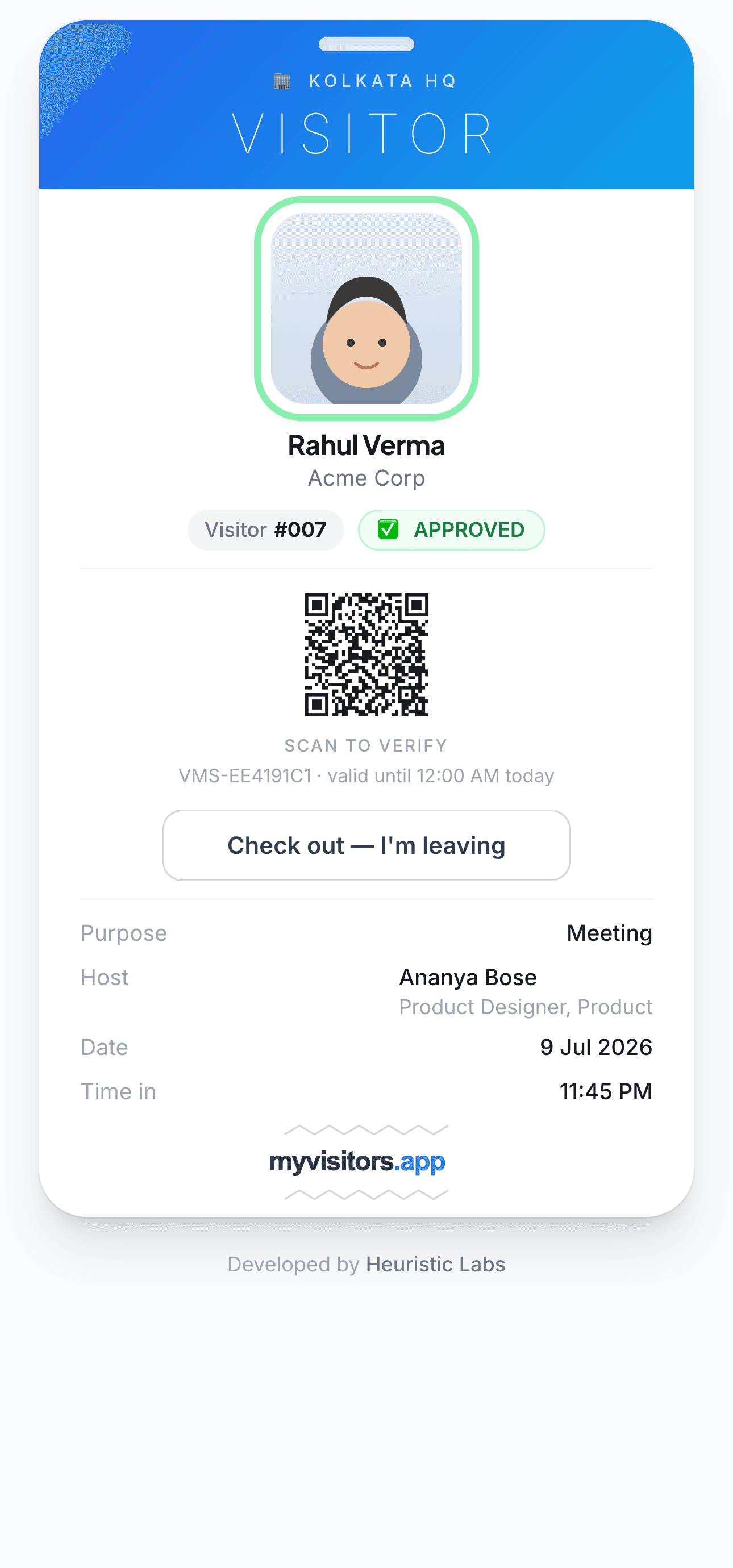
A time-bound pass with a scannable QR security can verify anytime.
Check-in & check-out
Visitors, front desk, or the system auto-check-out — so occupancy is always accurate.
Multi-location & roles
Run every office from one dashboard with role-based access.
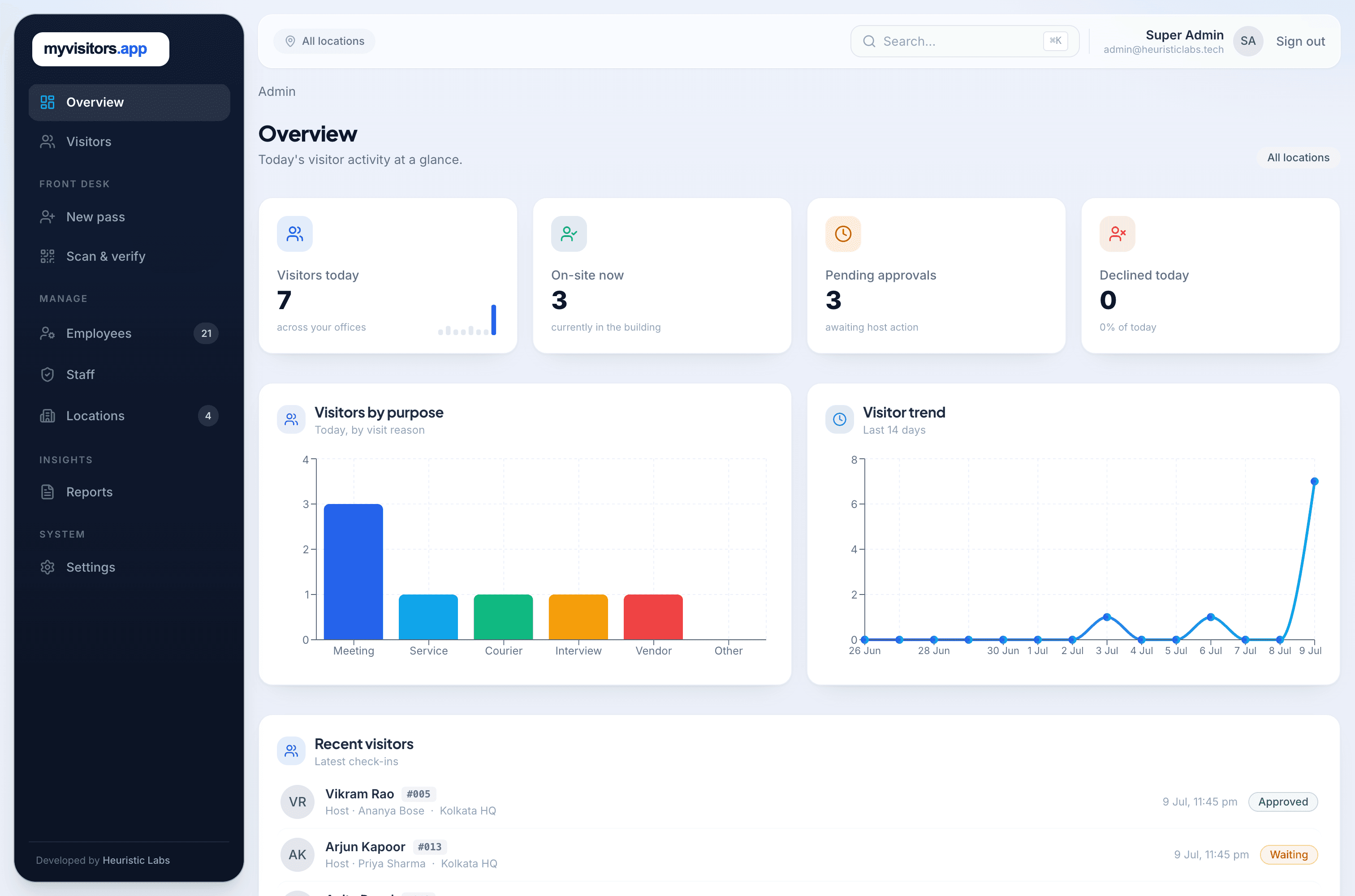
Your whole front desk, on one screen.
Live occupancy, approvals, visitor trends, and recent activity — across every branch, in real time.
Four steps from lobby to badge.
Scan
Visitor scans the reception QR (or you send them a link).
Check in
Name, who they're visiting, purpose, and a selfie — under a minute.
Approve
The host is notified and approves in one tap.
Enter
The visitor gets a live badge; security can scan to verify. On the way out, a tap checks them out.
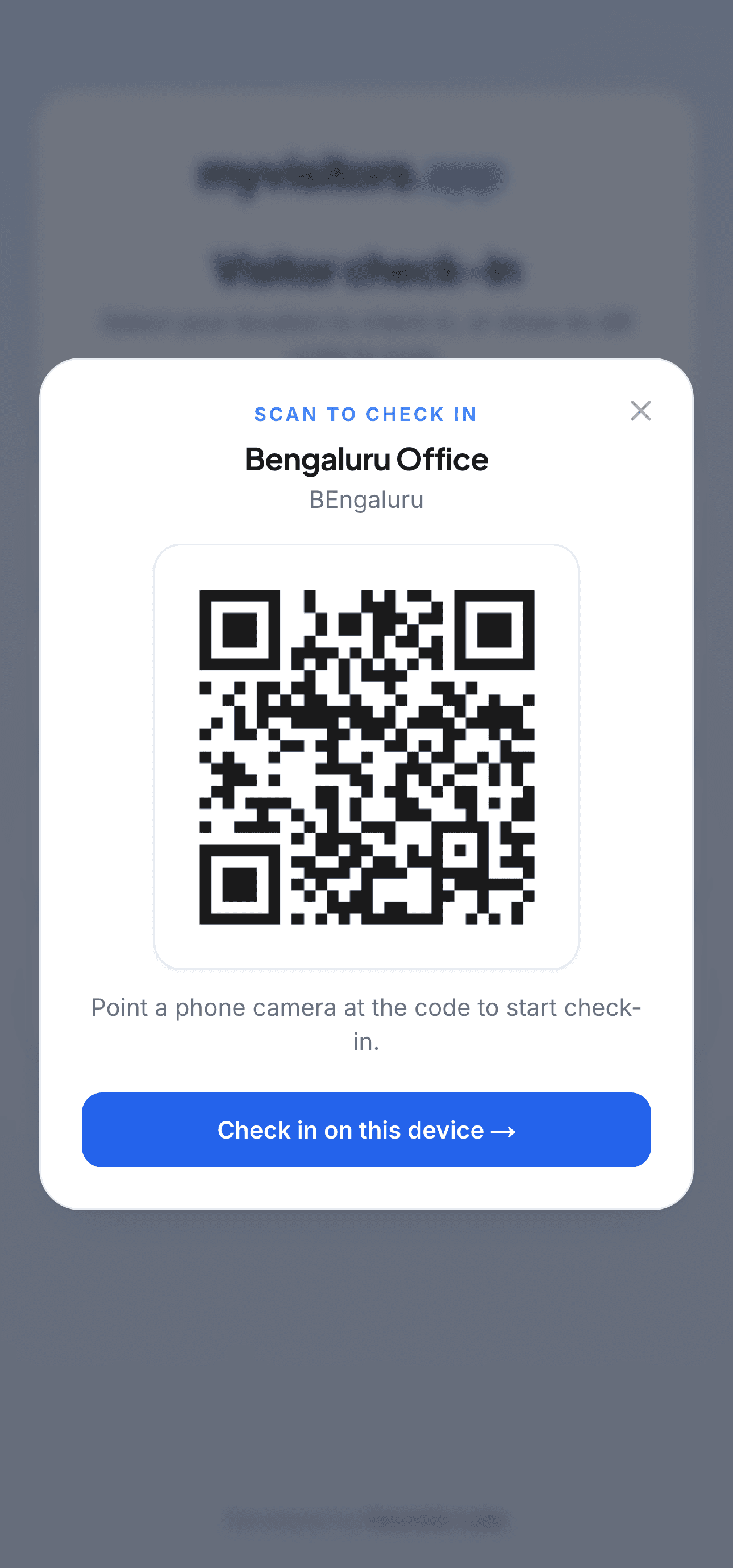
1 · Scan the reception QR
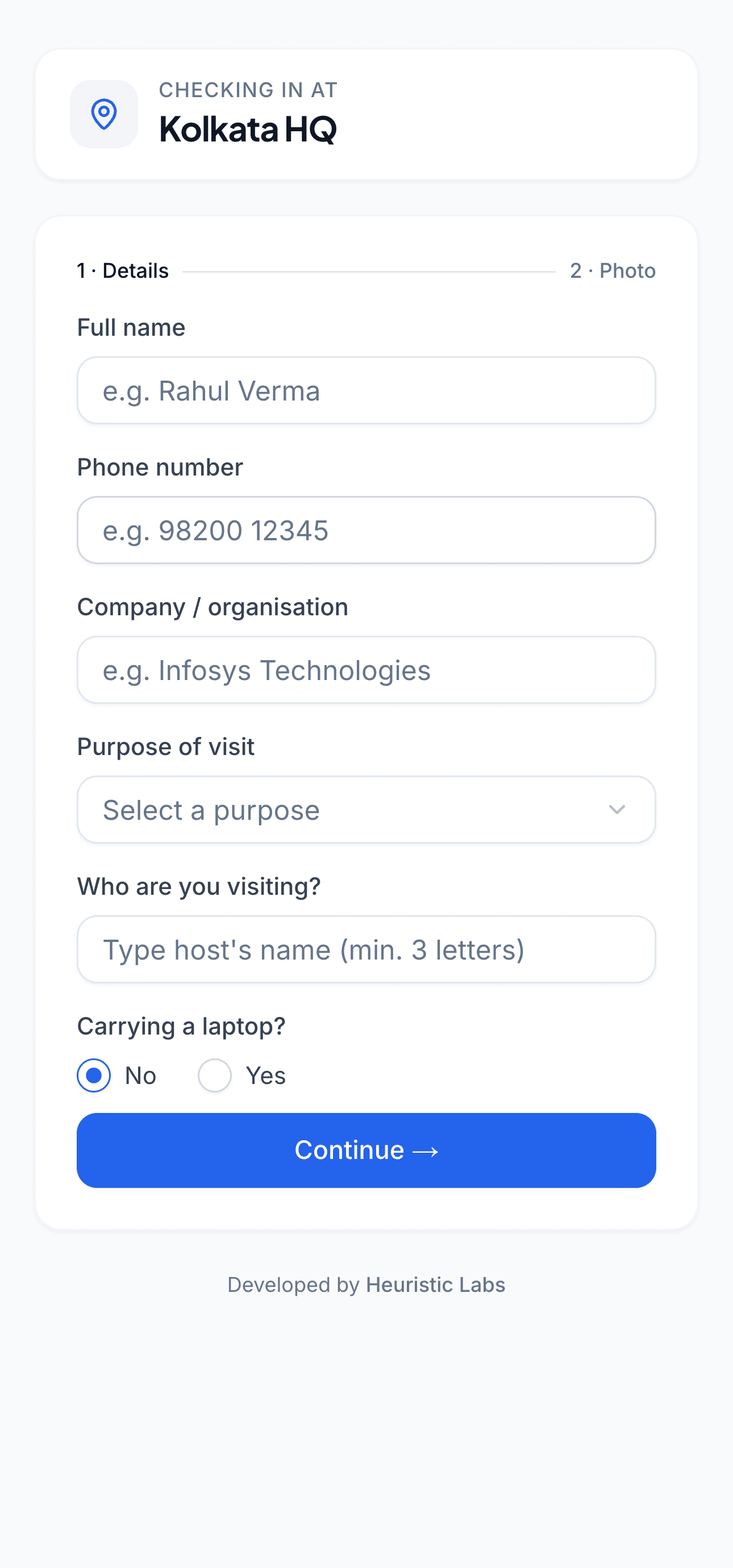
2 · Check in with a selfie
3 · Get your live badge
More than a digital logbook.
Built for offices, coworking spaces, factories, clinics, and multi-location companies that want a professional, secure, paperless front desk.
No app for visitors, no hardware for you. Just a QR and a browser.
Real presence, not just a log. True check-out + auto check-out keeps “who’s on-site” honest.
Ready for scale on day one. Unlimited branches, six staff roles, and location-scoped reporting.
Your brand, not ours. Put your logo and name on the badge and every page.
Dedicated, never SaaS. Self-host it on your own on-prem or cloud, or let us run a dedicated single-tenant instance for you — your data, isolated.
Flat annual pricing. One licence, never per-user — no cap on branches, visitors, or staff.
Directory sync. Pull your host list from Google Workspace or Microsoft 365.
A visitor management system for every front desk.
From a single small-business reception to a multi-location enterprise, offices, coworking spaces, factories, clinics, and schools — in India and worldwide — use myvisitors.app to run a professional, paperless front desk.
Make it yours.
Guests should see your brand, not your vendor. Full branding on every visitor screen and email, your own custom domain, and your own notification channels — or ours.
Full branding, included
Your logo, name, and colours on the badge, check-in, login, and emails — no vendor watermark, no premium tier.
Your own domain
Prefer it? Run the visitor experience on visitors.yourcompany.com, with your own TLS.
Your channels
Bring your own SMS, WhatsApp, and email provider — or add our managed channels (email included).
Always know who's on-site.
Every visit has a real arrival and departure. Visitors can check themselves out, your front desk can do it in a click, and anyone still inside past your set limit is auto-checked-out with an overstay alert to their host. Your “On-site now” number is always trustworthy.
On-site now
18
across Bengaluru · Reception
What is a visitor management system?
A visitor management system (VMS) is software that replaces the paper logbook and the reception kiosk. Instead of signing a book, a visitor scans a QR code, checks in from their own phone, and gets a live digital badge — while the host they're visiting is notified and approves in one tap.
myvisitors.app is QR code visitor management done right: visitors self check-in by scanning a code, and it records every visit as a searchable, timestamped entry, tracks who is on-site in real time with true check-out, and runs across every branch with role-based access — deployed as a dedicated, single-tenant instance on your own infrastructure or one we host for you, never shared SaaS.
See the full feature set, learn how contactless check-in works, or review security & privacy.
Quick answers.
Do visitors need to install an app?
No. They scan a QR and check in from their phone's browser.
Do I need any hardware?
No kiosks or scanners required. A printed QR at reception is enough.
Can visitors check themselves out?
Yes — plus front-desk and automatic check-out, so occupancy stays accurate.
Give your front desk a serious upgrade.
See myvisitors.app on your own offices — a 20-minute demo is all it takes.
No forms · We usually reply within 24 hours