From QR to badge, in under a minute.
Five simple journeys — for the visitor, the host, the front desk, security, and the admin.
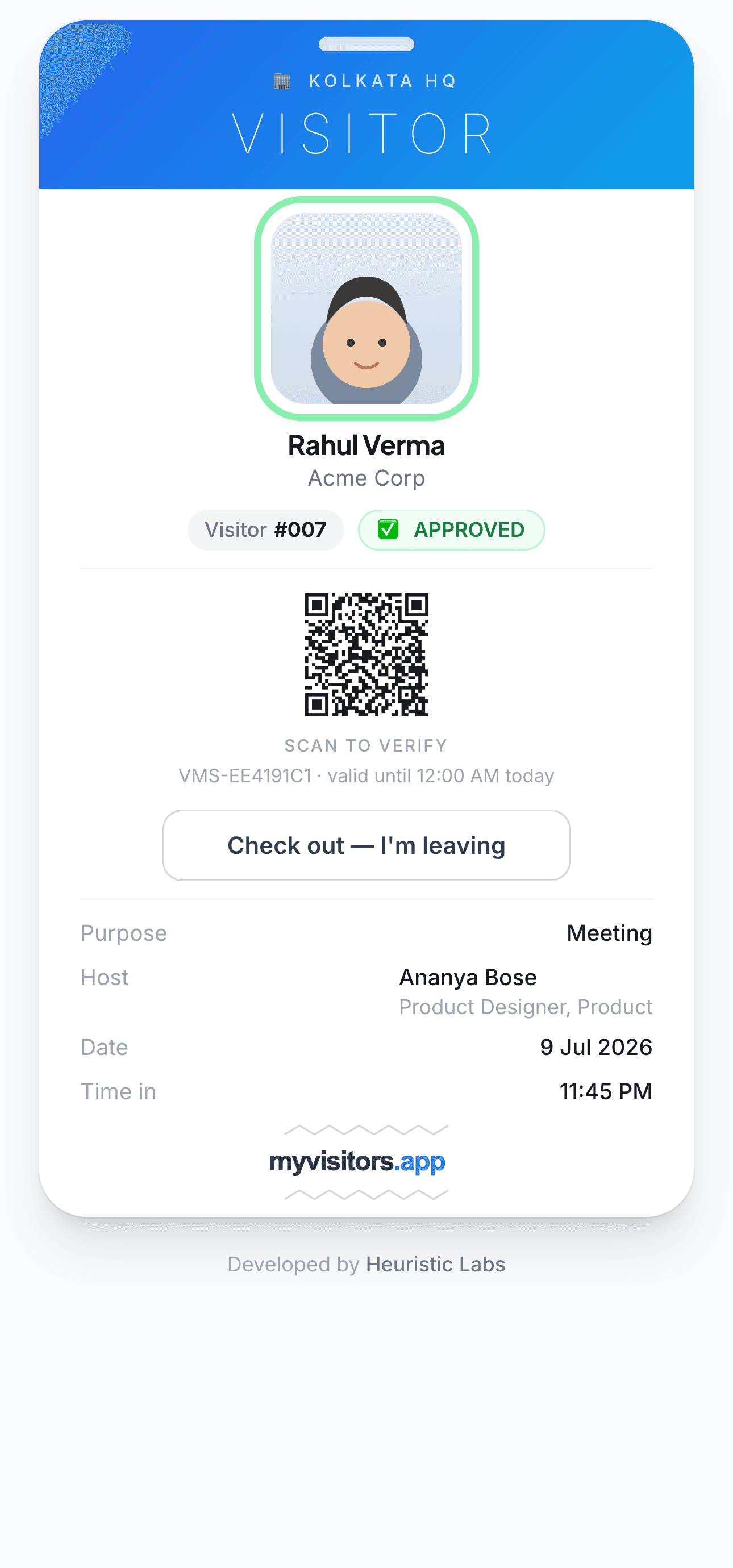
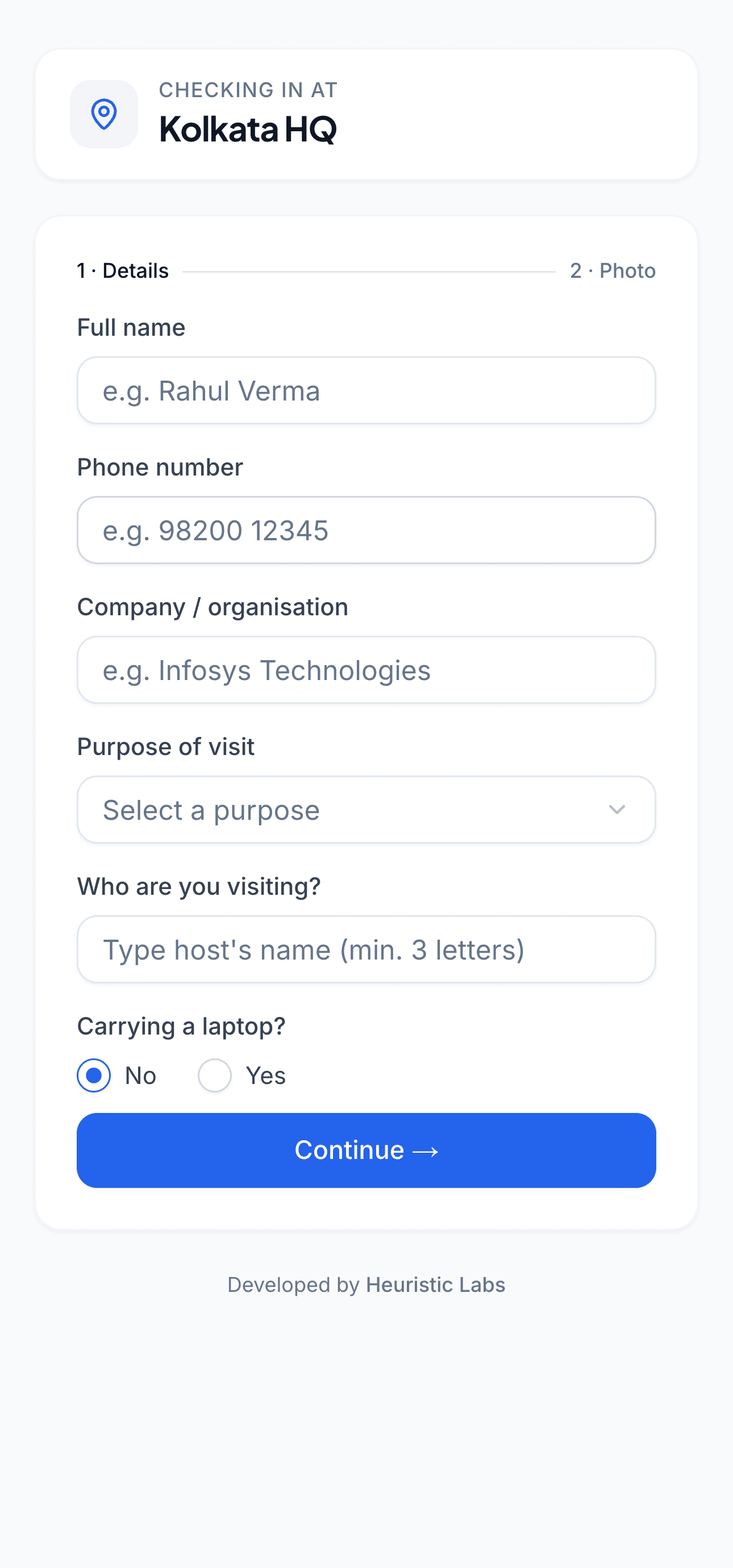
For visitors
The visitor journey
- 1
Scan the QR at reception (or open the link you were sent).
- 2
Enter your name, who you're here to see, and why. Snap a quick selfie.
- 3
Wait a moment — your host is notified and approves.
- 4
Show your live digital badge at the desk. Security can scan it to verify.
- 5
On your way out, tap “check out”. Done.
For hosts
The host journey
- 1
Get notified the second your visitor arrives.
- 2
Approve or decline in one tap — from your email or dashboard.
- 3
Expecting someone? Pre-register them for instant, no-wait entry.
- 4
See who's waiting, who's here, and who's checked out — and check a visitor out yourself.
For your front desk
The front-desk journey
- 1
Keep the reception QR on display for walk-in visitors.
- 2
Watch new check-ins arrive on the dashboard in real time.
- 3
Register a walk-in or pre-register an expected guest.
- 4
Check a visitor out in one click when they leave.
- 5
See a live “On-site now” count for your location.
For security
The security journey
- 1
Open the built-in “Scan & verify” tool on any phone.
- 2
Scan a visitor's badge QR to see its live status.
- 3
Instantly tell valid, approved passes from “NOT VALID” ones.
- 4
Confirm the photo, host, and purpose on the pass match.
- 5
Only genuinely-approved, on-site passes ever show a valid QR.
For admins
The admin journey
- 1
Set up your offices and print each location's reception QR.
- 2
Add or sync your host directory; invite staff with the right roles.
- 3
Watch live occupancy and recent activity on the dashboard.
- 4
Pull reports and export CSVs whenever you need them.
- 5
Brand it, tune notification emails, and set your max-visit duration.

The host dashboard — approvals and today's visitors

The admin overview — live occupancy across every branch
Give your front desk a serious upgrade.
See myvisitors.app on your own offices — a 20-minute demo is all it takes.